
Apple Search Ads
How to connect Apple Search Ads to Campaignswell
Step 1. User Requirements
Make sure you are signed in to Apple Search Ads with a user who has permission to grant access to the account (for example, an Account Admin).
Step 2. Open the Apple Search Ads integration
In Campaignswell, go to Integrations > Apple Search Ads and click Add account.
Step 3. Sign in with Apple
You will be redirected to Apple. Sign in with your Apple Search Ads credentials.
Step 4. Choose the account and access level
- In the Account Name dropdown, select the Apple Search Ads account you want to connect.
- Select Read Only. This lets Campaignswell read reports and view campaigns.
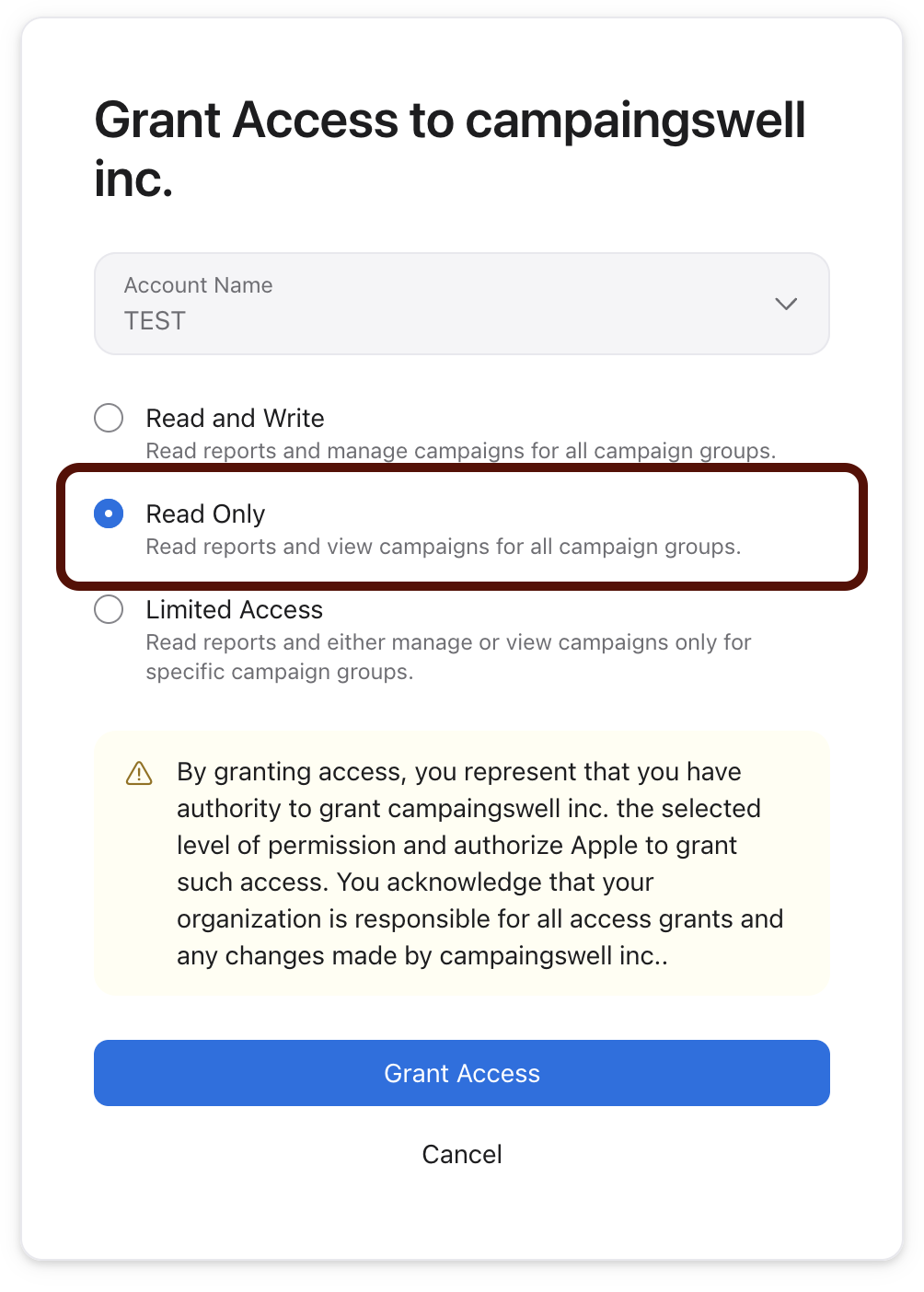
Step 5. Grant access
Click Grant Access. You will be redirected back to Campaignswell, and the integration status will change to Connected.