Campaignswell MCP is live in Claude and ChatGPT: Here’s how it can help your growth team
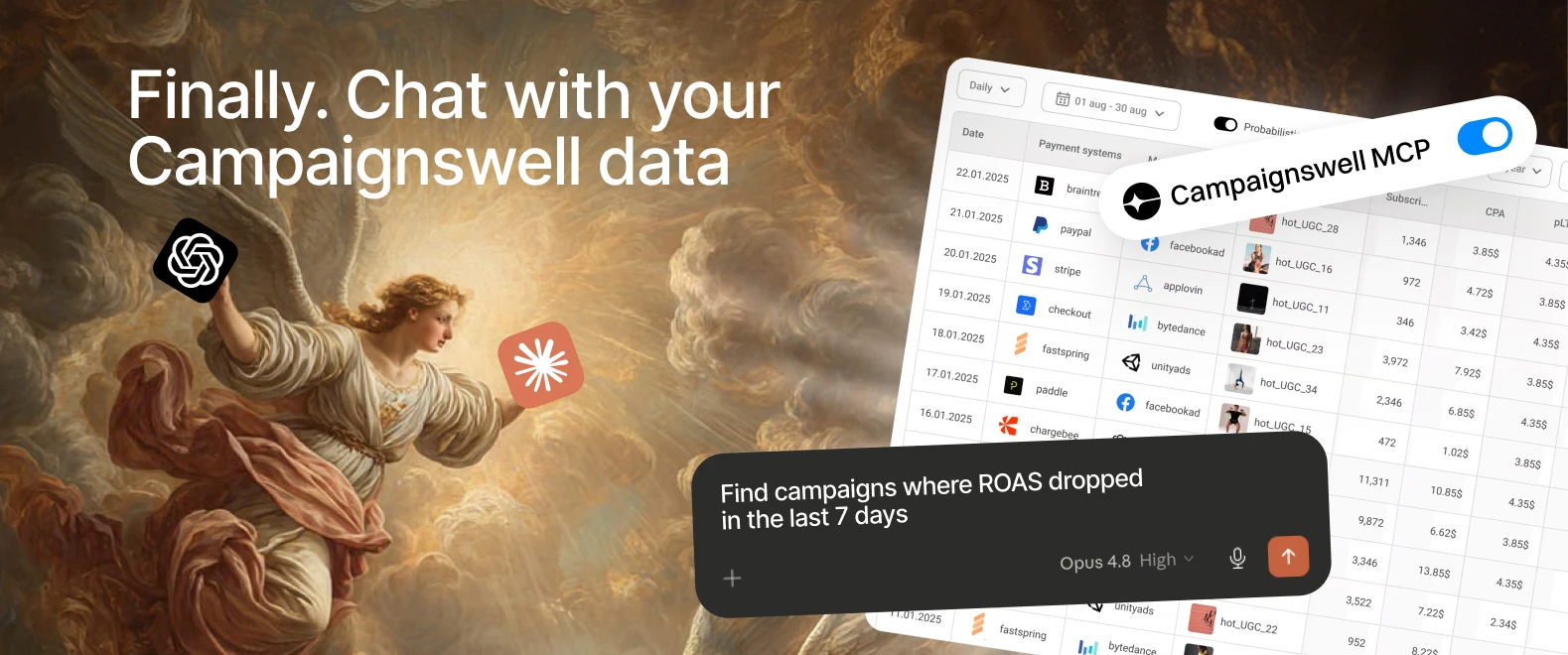
MCP is here, and Campaignswell is now available in Claude and ChatGPT.
Campaignswell can now travel with your team into the AI tools where more work is already happening.
- Your UA manager can investigate campaign drops.
- Your creative team can evaluate ads with live performance context.
- Your marketing lead can monitor budget pacing.
- Your CEO can ask performance questions directly.
- Your growth team can build reports, artifacts, and workflows around the metrics that matter most.
Campaignswell has always helped teams see what is working, what is breaking, and where to scale. With MCP, those insights become easier to access through natural language, reusable prompts, and AI-powered workflows.
What MCP means for Campaignswell users
MCP, or Model Context Protocol, lets AI assistants like Claude and ChatGPT connect to tools and data sources in a structured way.
For Campaignswell users, this means Claude or ChatGPT can access the same performance data your team sees in Campaignswell, then use it to answer questions, calculate metrics, investigate issues, or create summaries.
Think of it as giving your AI assistant a direct line to your marketing analytics.
Instead of opening Campaignswell, choosing views, applying filters, checking cohorts, exporting CSVs, pasting numbers into another tool, and then trying to make sense of it all, you can simply ask:
“Check yesterday’s performance by geo and highlight any suspicious drops.”
“Compare this week’s cohort performance against last week for web-to-web campaigns.”
“Which creatives look ready to scale based on current CPI, purchase conversion, and predicted ROI?”
“Create a daily performance summary for the growth team.”
Campaignswell still stays your source of truth. Claude or ChatGPT becomes the layer that helps you explore it faster.
Why this matters for growth teams
Growth teams move fast. Campaigns change daily. Budgets shift. Creatives burn out. Geo performance flips. Subscription funnels behave strangely for no obvious reason, because apparently that is part of the job description.
The usual workflow looks something like this:
Open dashboard.
Check spend.
Check revenue.
Check pLTV.
Check ROAS.
Check conversion.
Filter by country.
Filter by campaign.
Filter by creative.
Open another tool.
Compare with product analytics.
Ask someone in Slack whether that drop is real.
Repeat tomorrow.
With Campaignswell MCP, a lot of that routine can move into Claude or ChatGPT. The AI can pull Campaignswell data, combine it with the context you provide, and help your team get to the useful part faster: what changed, why it might matter, and what to look at next.
What teams are already doing with Campaignswell MCP
We’ve been talking to early Campaignswell MCP users, and one thing is clear: everyone starts from a slightly different pain point.
Some teams want daily monitoring. Some want better creative evaluation. Some want quick executive snapshots. Some want to stop rebuilding the same spreadsheet every Monday. Fair.
Here are the main use cases we’re already seeing.
For Heads of Growth: daily reports without dashboard archaeology
One customer uses Campaignswell MCP as part of a daily metrics monitor. Claude pulls data from Campaignswell and other tools, then creates a structured report in Notion with the key metrics the team needs to review.
The flow works like this: the instruction is set once, the report refreshes regularly, and the team reviews the output instead of manually checking every dashboard.
This is useful for questions like:
“What changed yesterday?”
“Where did pLTV drop?”
“Which campaigns need attention?”
“Are Tier 2 or Tier 3 geos behaving differently from prediction?”
“Do we see a gap between predictive and actual performance?”
The result is less time spent collecting the numbers and more time spent deciding what to do with them.
For UA Managers: faster investigations when performance drops
With Campaignswell MCP, UA managers can ask Claude or ChatGPT to pull the relevant cohort data, compare segments, and surface possible reasons behind the change.
For example, the assistant can help check:
- country-level performance
- campaign and ad set performance
- cohort ROI and pLTV
- intro-to-full subscription conversion
- paid vs unpaid user behavior
- payment method breakdowns
- web-to-web funnel splits
This turns the AI assistant into a practical marketing analyst that can work through the first layer of investigation. The human still makes the decision, as they should. The boring digging gets faster.
For Creative Teams: scoring creatives with live performance data
One especially interesting use case comes from creative evaluation.
A customer built a Claude artifact that helps score ad creatives using Campaignswell data. The team can select creatives by name or ad set, then view key performance metrics and compare them against current top performers.
This is useful because creative performance is rarely about one metric. A designer might see a great CTR and think the creative is winning. A UA manager knows that CTR alone can be a very charming liar. CPI, purchase conversion, CPM, cohort quality, revenue, and predicted performance all matter.
With Campaignswell MCP, teams can build a scoring layer that pulls campaign data, applies their own logic, and gives creatives a clearer read on what is working.
That can help teams answer:
Which creatives look ready for broader launch?
Which ones are getting clicks but failing deeper in the funnel?
Which tests are promising enough to move into active campaigns?
Which benchmarks should we compare against right now?
The last point matters. Benchmarks age fast. A top creative from last month may no longer be a useful comparison if the platform algorithm, audience, or market has shifted. MCP-powered workflows can make creative evaluation more dynamic and less dependent on stale spreadsheets.
For Marketing Leads: budget tracking and pacing
Another team uses AI-assisted workflows to track budget pacing across apps, channels, and campaigns.
This is the kind of task that sounds simple until you’re doing it every week with live campaigns turning on and off, spend moving between Google, Meta, Apple Search Ads, web-to-web campaigns, test budgets, and geo-level experiments.
With Campaignswell MCP, teams can use current spend and performance data to create budget summaries, estimate pacing, and highlight where they are over or under plan.
That helps answer:
Are we likely to overspend this month?
Which channel is behind plan?
Which app or geo has budget left?
Where should the UA team slow down or push harder?
How does recent spend compare with expected monthly pacing?
Nobody gets into growth marketing because they dream of manually recalculating remaining budget in a spreadsheet. MCP makes that kind of work easier to automate, refresh, and share.
For CEOs and founders: quick answers without waiting for the team
Leadership teams do not always need the deepest dashboard. Sometimes they need a fast, reliable snapshot.
One CEO described using Claude with MCP-connected data to ask high-level performance questions, like how Apple Search Ads campaigns are performing in a specific market or whether certain keywords are profitable.
That matters because executives often do not live inside marketing dashboards all day. Their teams may have presets, saved views, and deep campaign context. The CEO usually has a question.
With Campaignswell MCP, they can ask that question directly and get a data-backed answer faster, without interrupting the UA manager for every check.
Useful examples:
“How are our Apple Search Ads campaigns performing in Germany?”
“Which keywords are driving profitable growth?”
“What changed in retention or session time this week?”
“Give me a quick snapshot of campaign performance by channel.”
This gives leadership a cleaner way to stay informed while keeping the growth team focused.
For Product and Analytics Teams: connecting campaign performance with product behavior
Some teams are also combining Campaignswell MCP with tools like Amplitude, PostHog, Stripe, RevenueCat, Notion, and internal systems.
That opens the door to more connected workflows.
For example, teams can use Campaignswell for campaign, revenue, cohort, and predictive performance data, then bring in product analytics to understand onboarding, activation, funnel progression, or feature usage.
This helps with questions like:
Are users from this campaign behaving differently in the product?
Did onboarding conversion drop for a specific cohort?
Do paid users from one geo have different retention patterns?
Are trial users from a certain channel converting worse after activation?
Where do we need better event tracking?
For hybrid SaaS and mobile app funnels, this is where things get especially useful. Web, app, payment, attribution, product usage, and campaign performance can finally be discussed in one AI-powered workspace instead of scattered across ten tools and three “final_v7” spreadsheets.
A quick note on AI judgment
Campaignswell MCP gives Claude and ChatGPT access to accurate Campaignswell data. The data comes from the same source your team uses in the platform.
The AI’s interpretation still deserves normal human review. That is especially true when the assistant is recommending actions, modeling scenarios, or explaining why something changed. Treat it like a very fast analyst: great at pulling threads together, useful for first-pass insight, still better with an experienced marketer checking the logic.
Good growth teams already work this way. MCP simply gives them a faster starting point.

Co-founder & CEO at Campaignswell
Book a demo


Co-founder at Campaignswell
Use the session to ask your hardest questions about scaling, LTV, or attribution, and see how full-funnel predictive analytics gives you clear, actionable answers.

.webp)