
Post-Integration Data Check
Validate your Campaignswell data against original sources. Run these checks after integration.
1. Spend Check
Compare with: Ad platforms (Meta Ads Manager, Google Ads, TikTok Ads, Apple Search Ads)
Setup in Campaignswell:
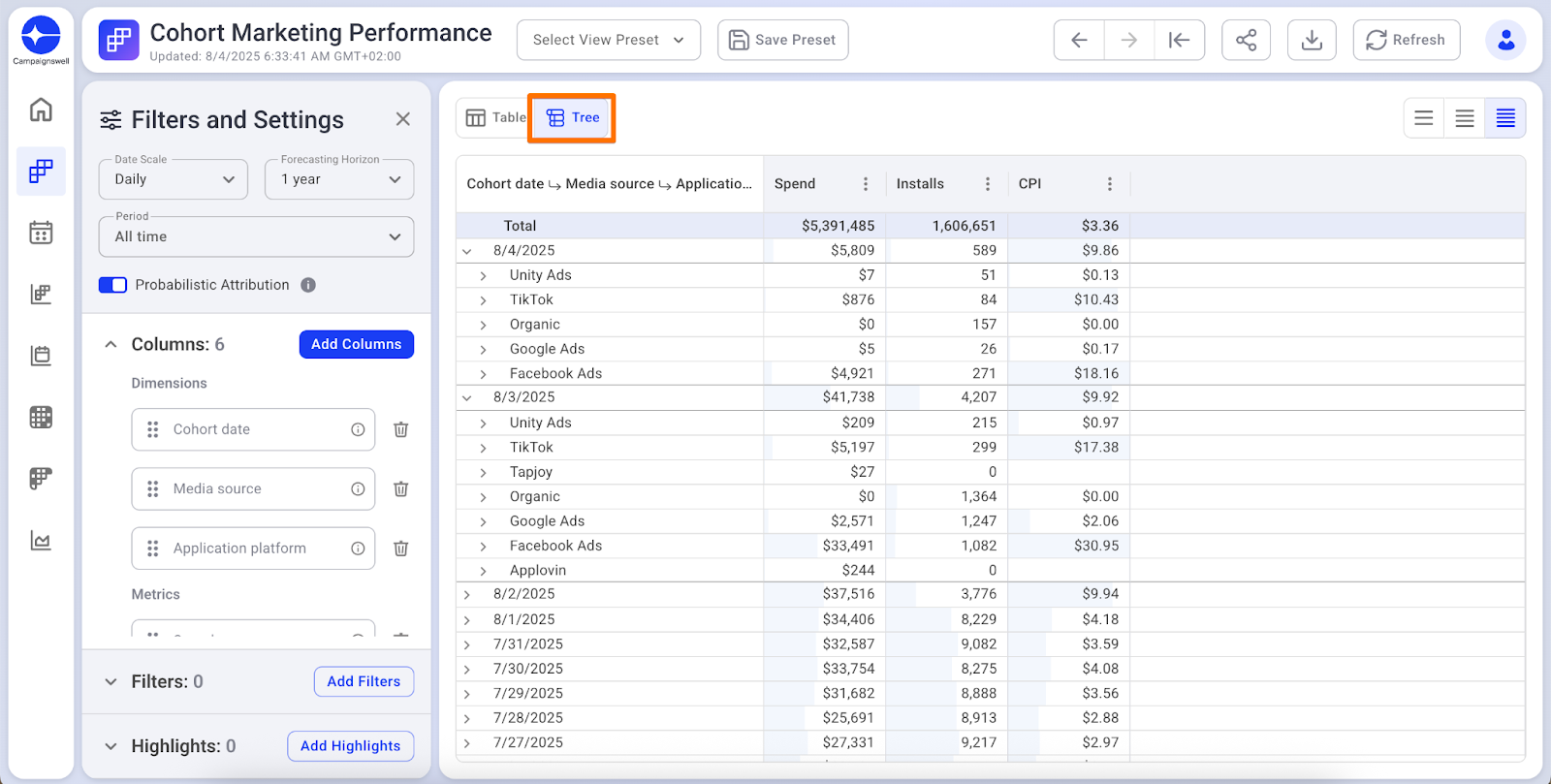
What to verify:
✅ Spend exists for all connected sources
✅ All expected sources are present (Facebook, TikTok, Google, etc.)
✅ Source names match your ad platform names
✅ Spend totals match ad platform dashboards (same date range)
⚠️ Daily spend may differ if timezones don't match between Campaignswell and ad platforms. Monthly totals won't have this issue.
Contact us if:
- Spend exists but zero Installs → contact us
- Source missing on certain dates → check if campaigns were paused
- Strange source names → request renaming
2. Revenue Check
Compare with: Payment systems (Stripe, App Store Connect, Google Play Console)
Setup in Campaignswell:
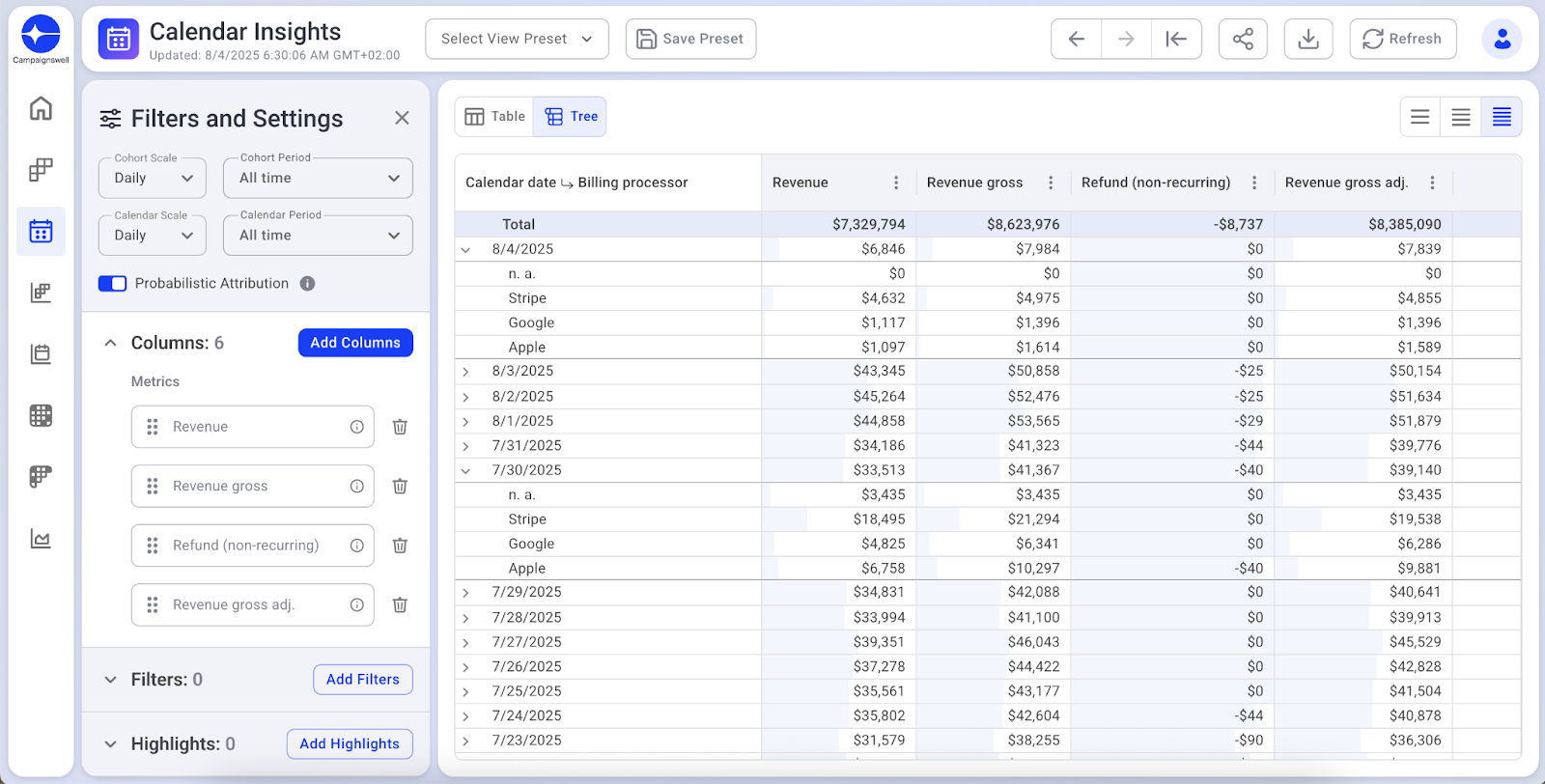
What to verify:
✅ Revenue gross matches your payment system totals
✅ Refunds are deducted correctly
✅ Store commission applied (15-30% for App Store / Google Play)
Important: Use Calendar date (not Cohort date) - this matches how payment systems report.
3. Attribution Check
Purpose: Verify that revenue is attributed to correct acquisition sources.
Setup in Campaignswell:
🔗Open in Campaignswell (adjust the dates)
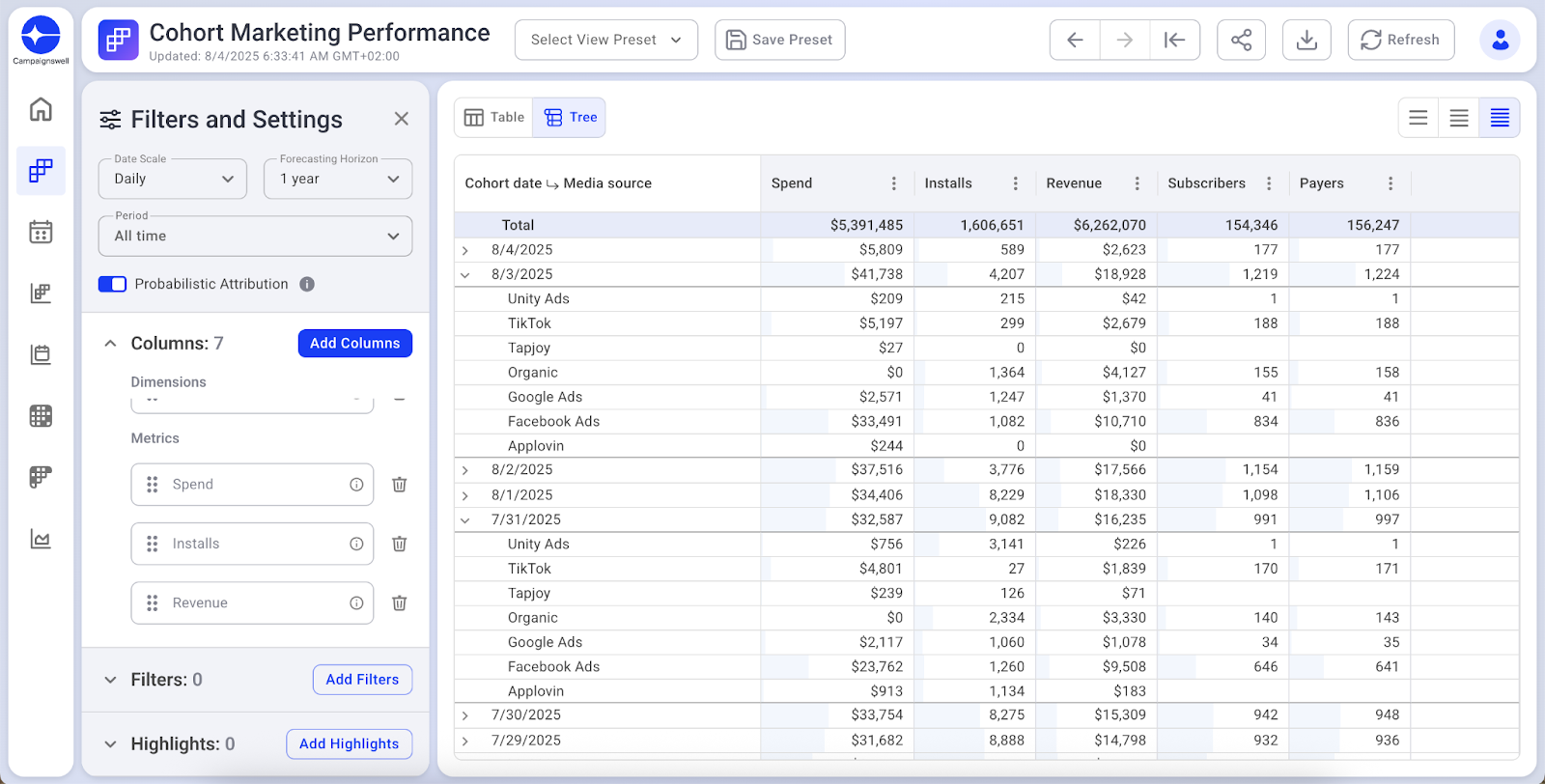
What to verify:
✅ Revenue attributes to sources where you have Spend
✅ N.A. doesn't have unusually high revenue share
✅ Paid sources show expected revenue proportions
Contact us if:
- More than 50% of revenue in N.A. → attribution issue
- Source has Spend but zero Revenue → check attribution setup
4. LTV Consistency Check
Purpose: Verify prediction models are working correctly.
Setup in Campaignswell:
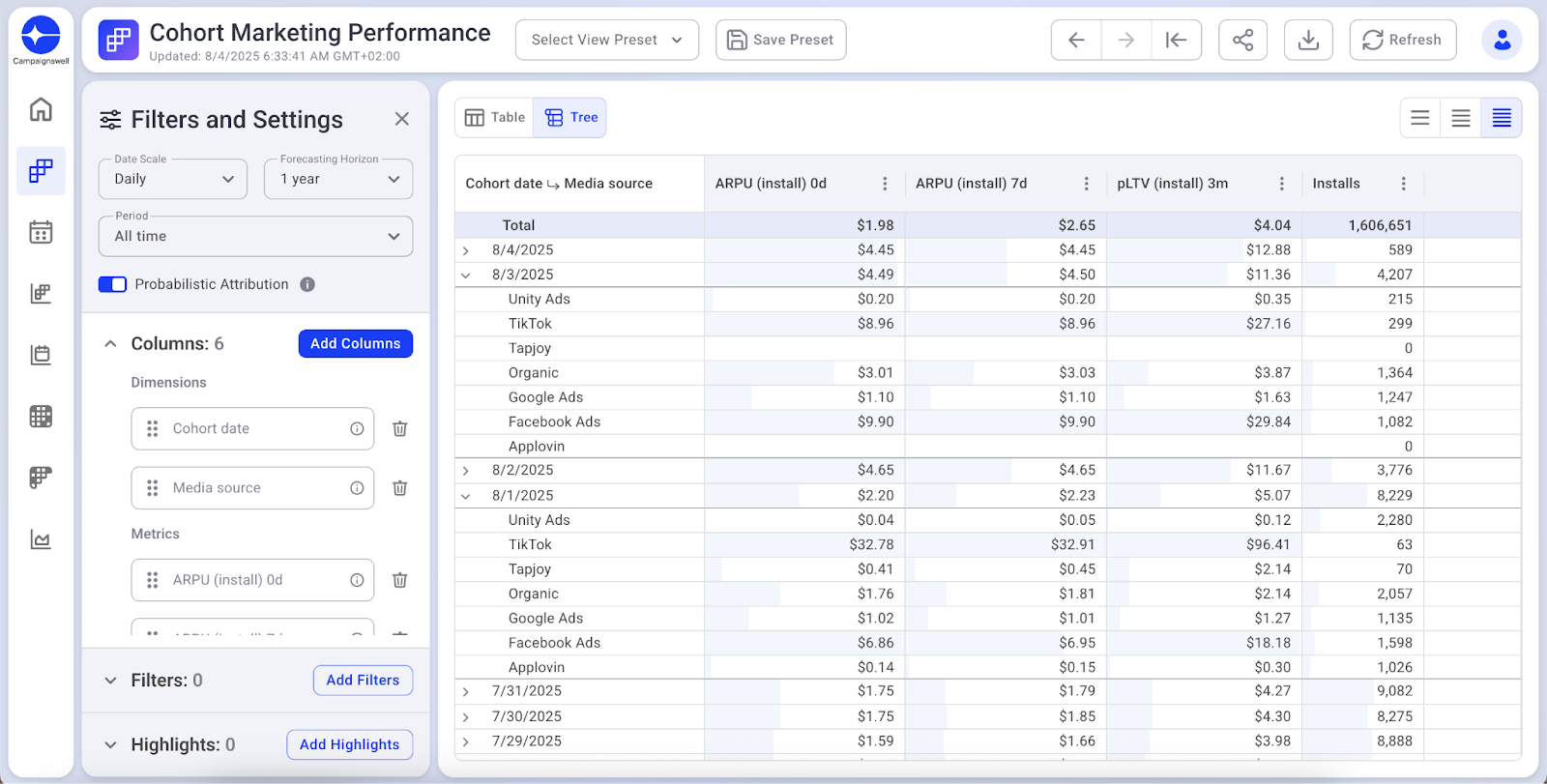
What to verify:
✅ pLTV values are reasonable (not extremely high or low)
✅ LTV grows progressively: 0d < 7d < 4w < pLTV
✅ No sudden spikes in recent cohorts
Note: First 3-7 days of any cohort = volatile predictions. Wait for stabilization before making decisions.
Numbers Don't Match?
- Check filters, date range and timezone in the systems you are comparing with
- Confirm you're using the right date type (Calendar vs Cohort)
- Add Platform dimension to separate iOS / Android / Web
Still off? Share report link + screenshot with your CSM → we'll check raw data.