
/
Monetization data
/
Subscription and in-app
/
Paddle
How to integrate Paddle webhook
Step 1. Go to Paddle > Developer tools > Notifications
Step 2. Click New destination
Step 3. Enter the details for your new notification destination:
- URL: endpoint URL from the Campaignswell UI
- Descriptions: campaignswell.com
- Notification type: Webhook
- Usage type: Platform only
- Api version: 1
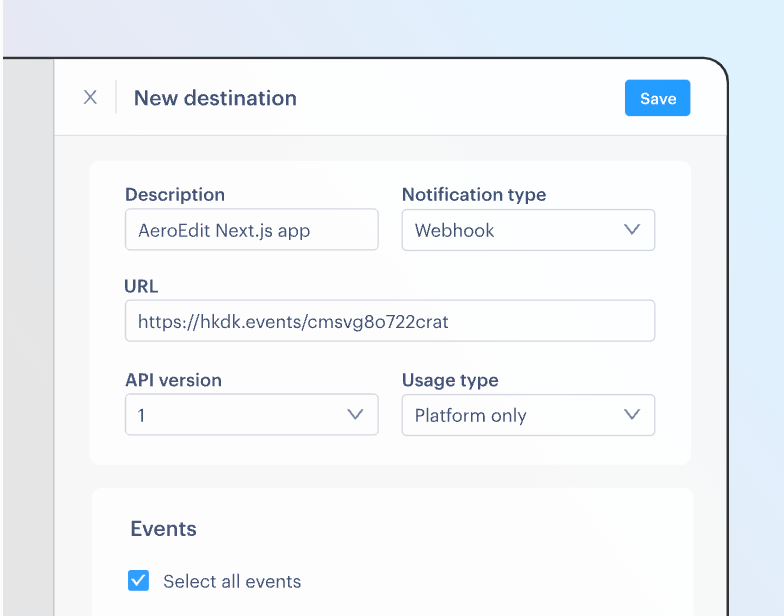
Step 4. Choose the events that you want to receive notifications for: “Select all events”
Please, select Write for the Reports
Click Save destination when you're done
Step 5.Generate API key
To create and manage API keys, go to Paddle > Developer tools > Authentication. Click Generate API key under the "API keys" section.
Make sure the following permissions are enabled for the API key:
report.read
report.write
customer.read
price.read
discount.read
notification.read
product.read
subscription.read
transaction.read