
Campaignswell MCP
MCP is a connector that lets Claude and ChatGPT access your Campaignswell data. Ask for data in plain language right in the chat and get answers in seconds, without opening the UI.
Connector URL: https://mcp.campaignswell.com
What you can do
- Pull top and worst campaigns by any metric and filter
- Get a snapshot of your current marketing performance
- Check forecasts (pLTV, pROAS) by app and campaign
- Filter by app, cohort, period, source
- Investigate performance drops and ask which campaigns to pause
For now MCP works with Cohort Marketing Performance data.
Connecting to Claude
→ Step 1
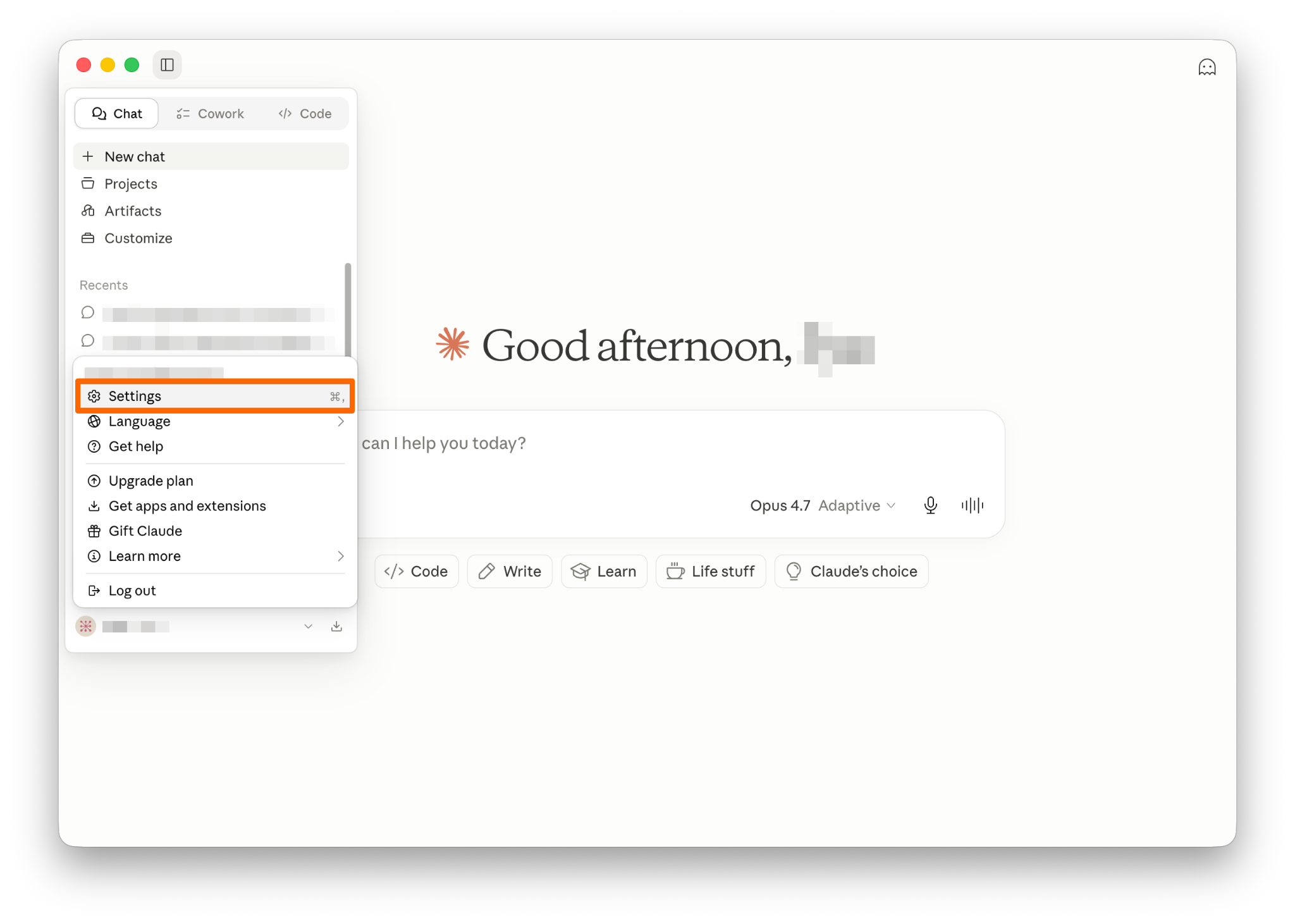
Open Claude → click your account → Settings.
→ Step 2
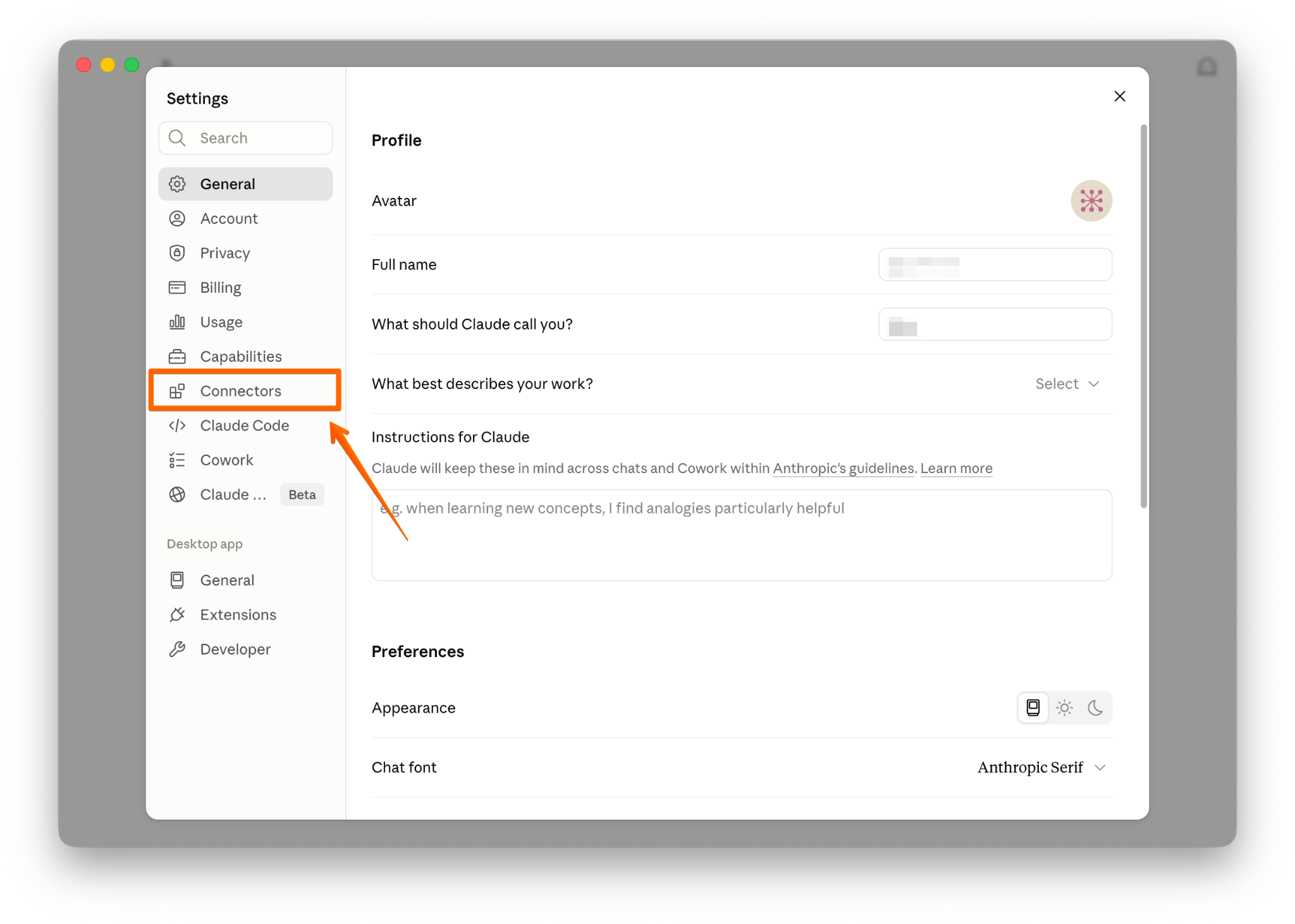
Go to Connectors (Customize) → click Add custom connector.

→ Step 3
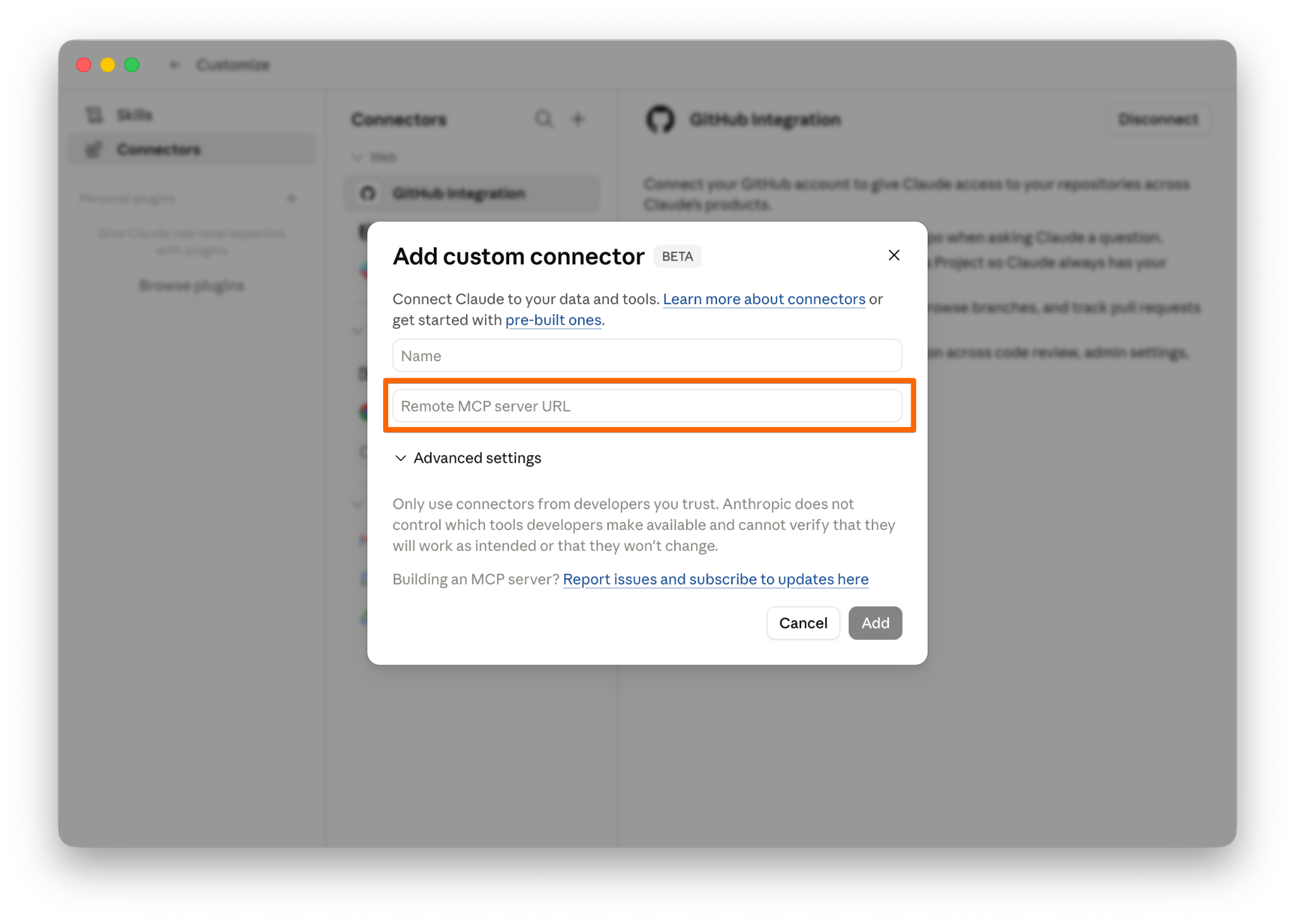
Paste the connector URL:
https://mcp.campaignswell.com
Click Add.
→ Step 4
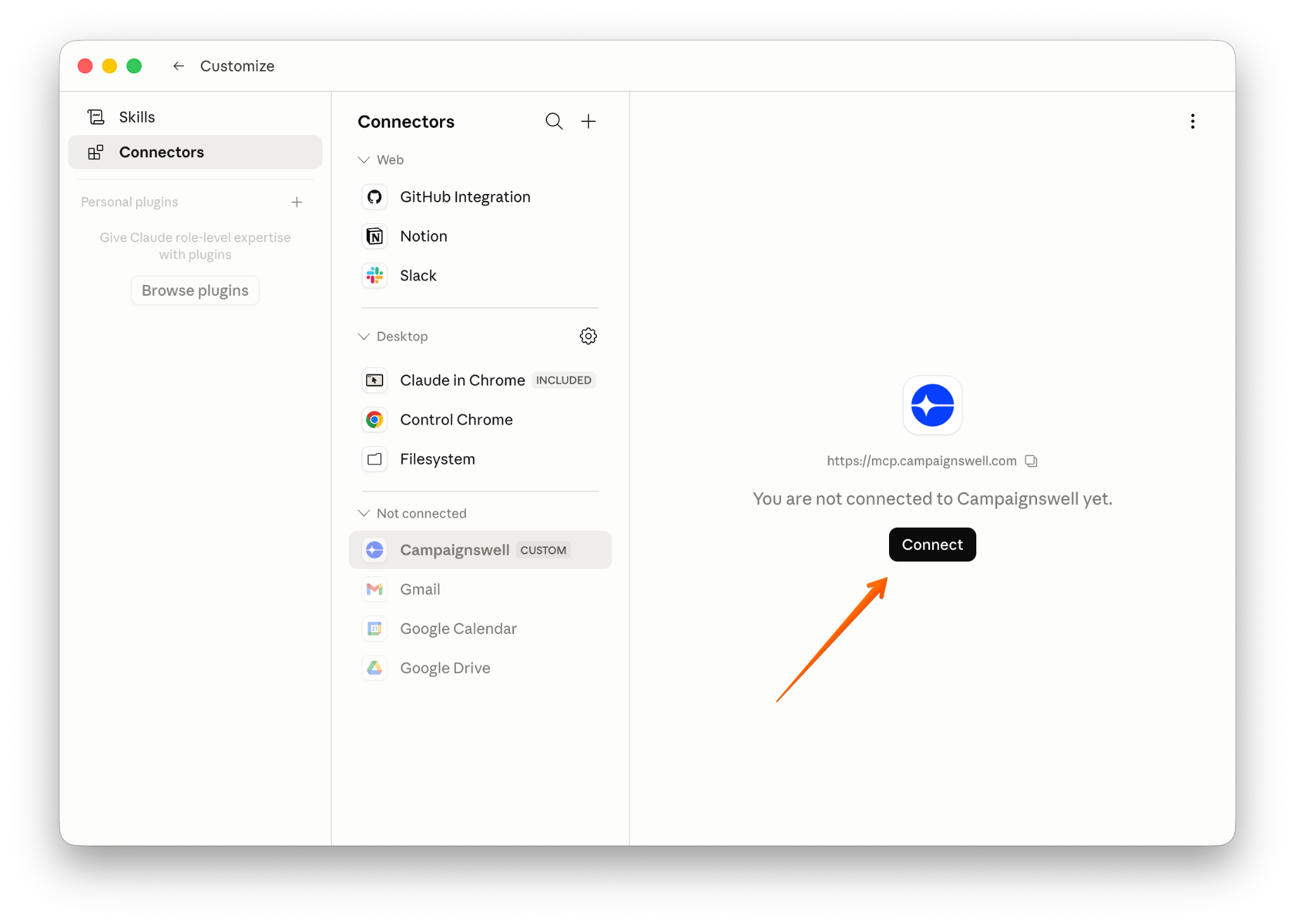
The connector will appear in the list but stay inactive. Click Connect.
→ Step 5
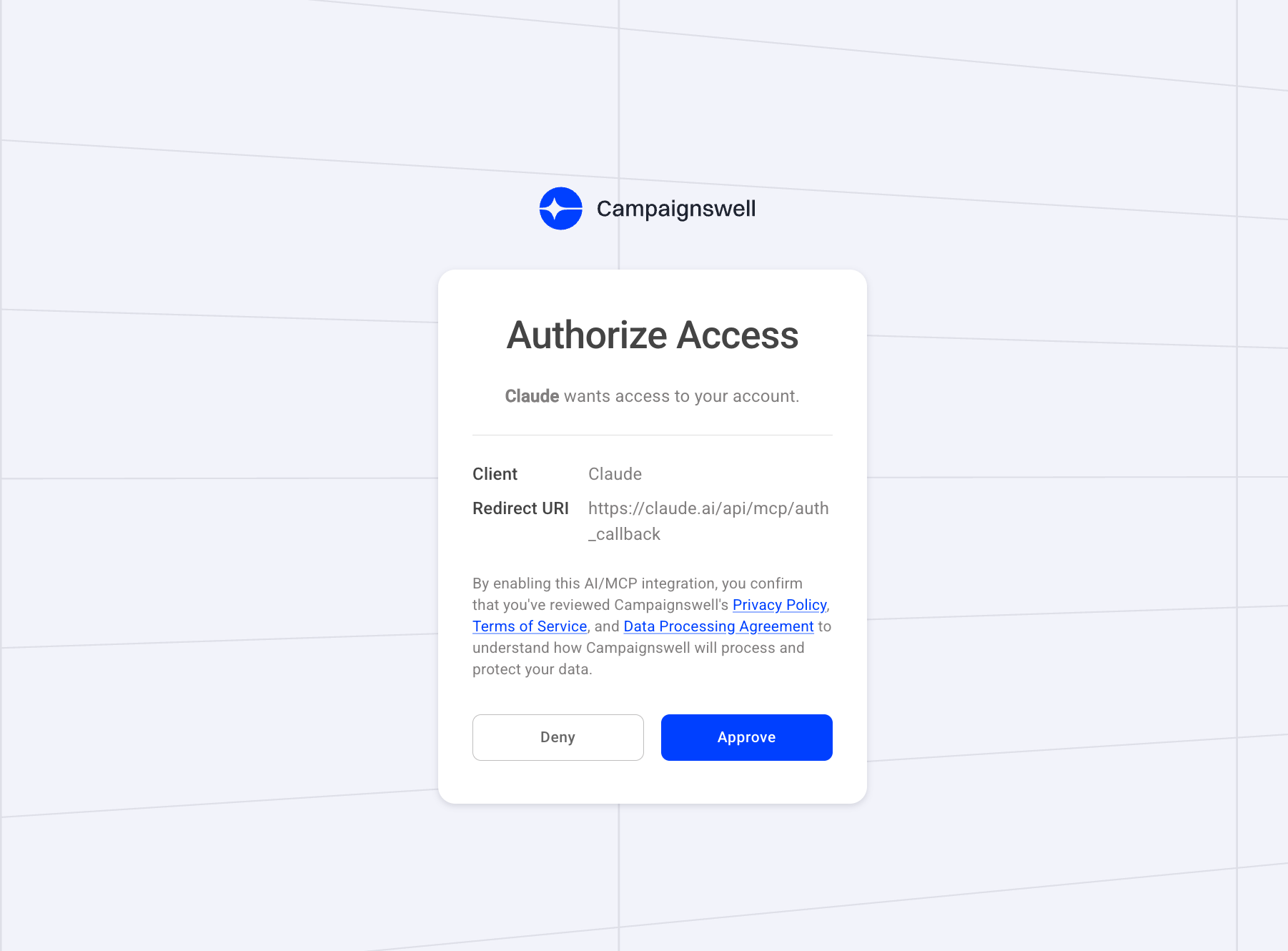
You'll be redirected to Campaignswell to authorize. Review the policies and click Approve.
→ Step 6
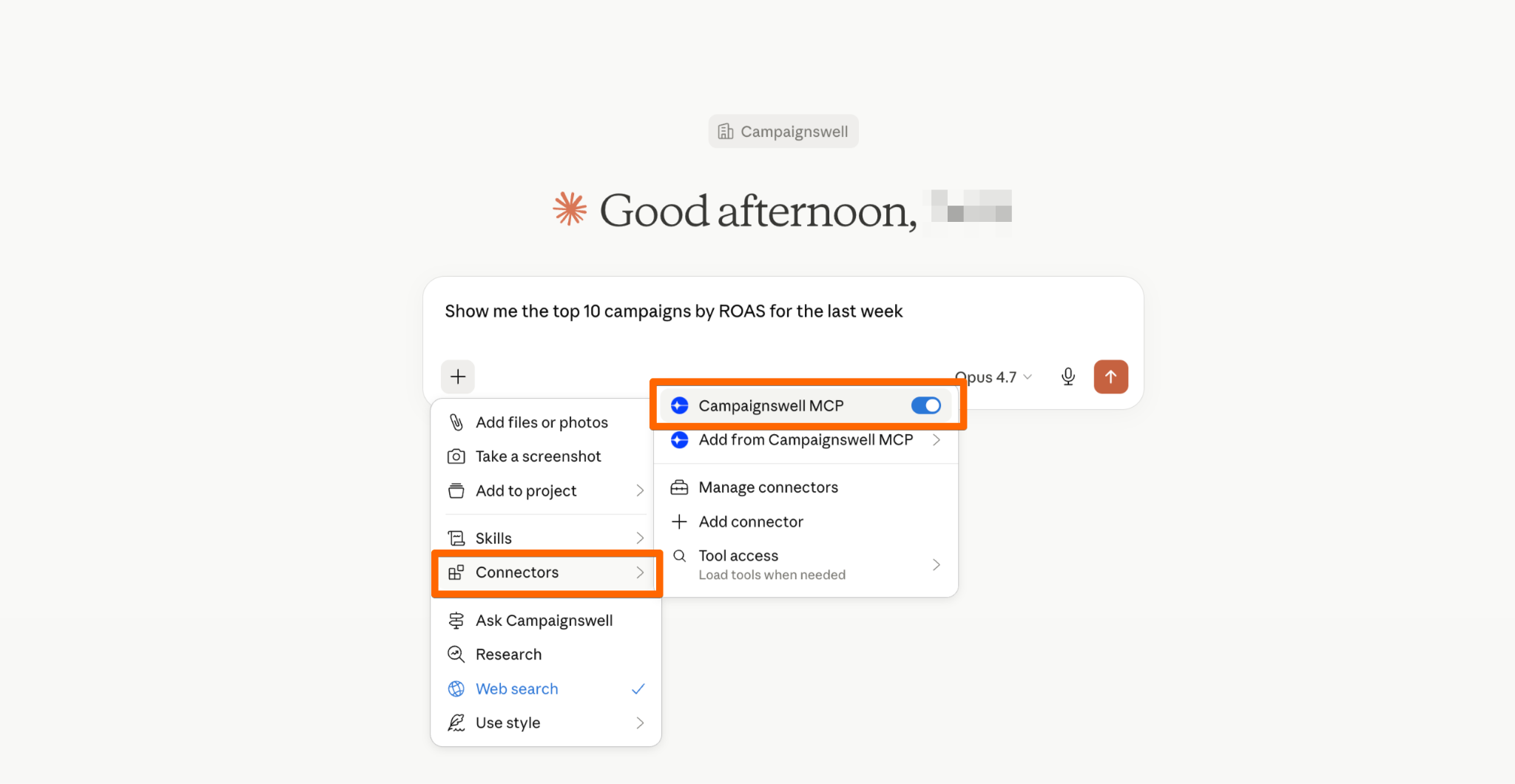
Done. In a new chat the connector is picked up automatically - you don't need to mention it. Claude automatically detects when to query Campaignswell.
Connecting to ChatGPT
→ Step 1
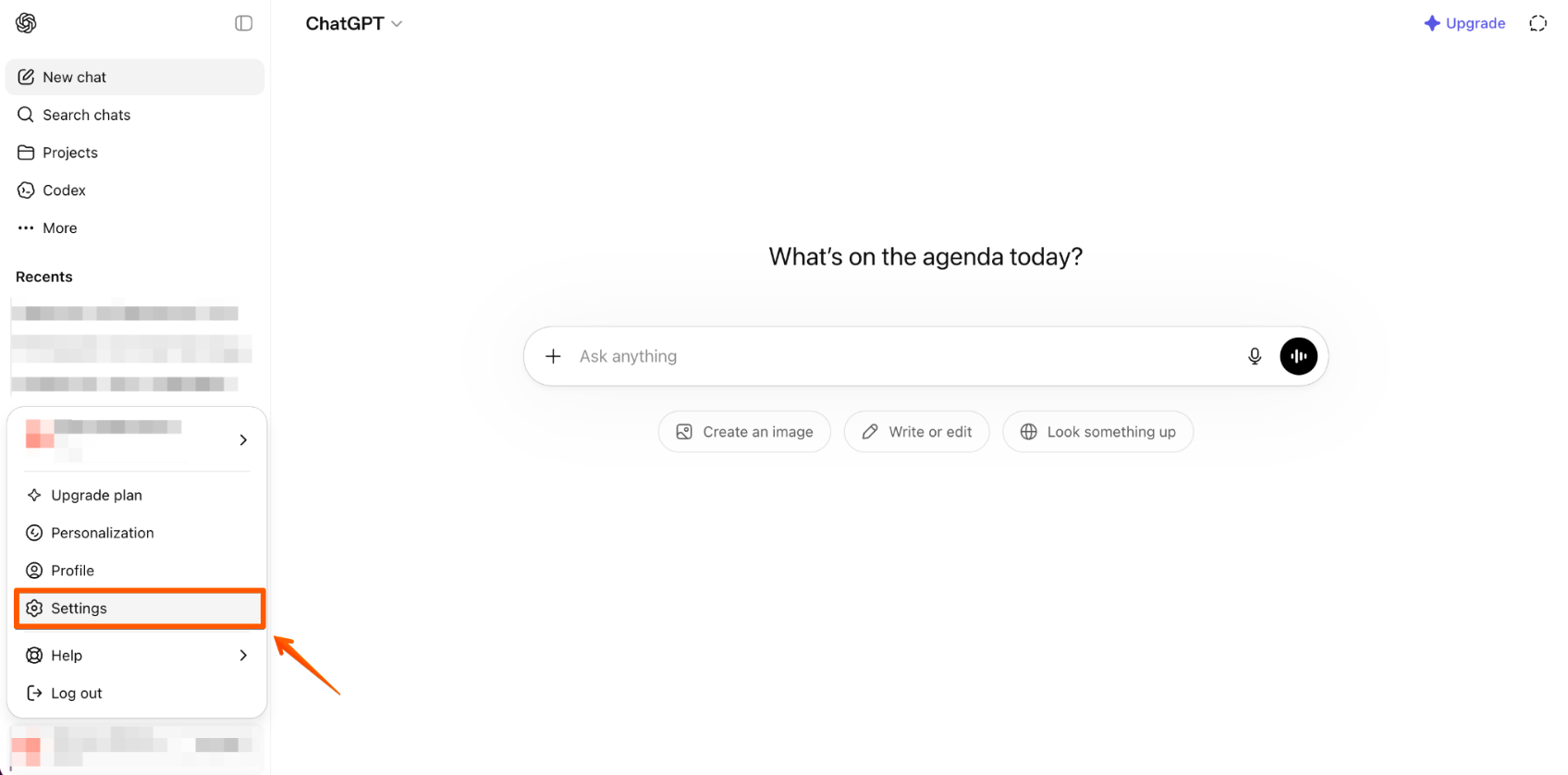
Open ChatGPT → Settings → Apps.
→ Step 2
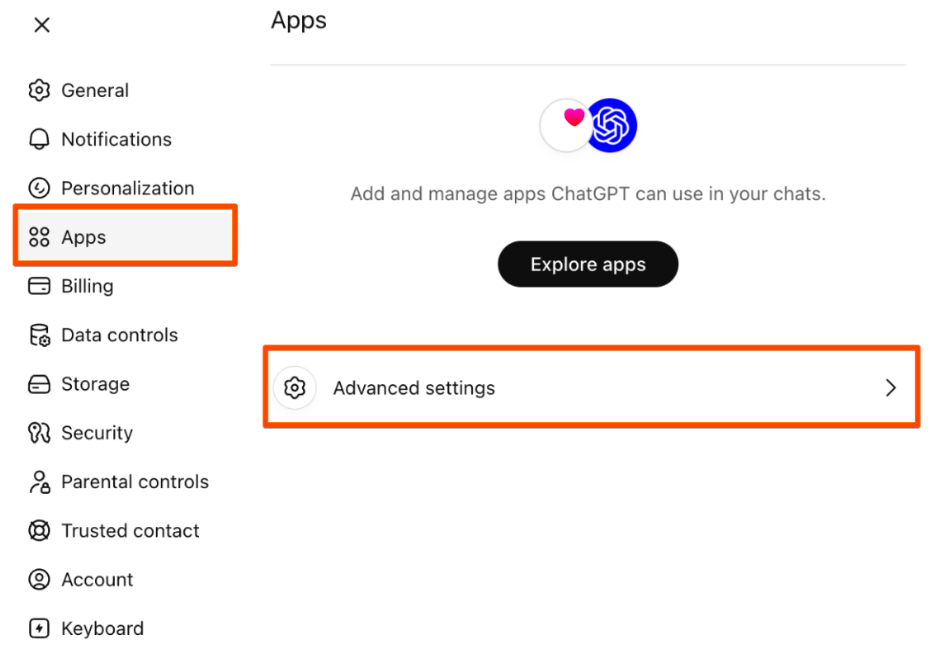
Go to Advanced settings → enable Developer mode.
→ Step 3
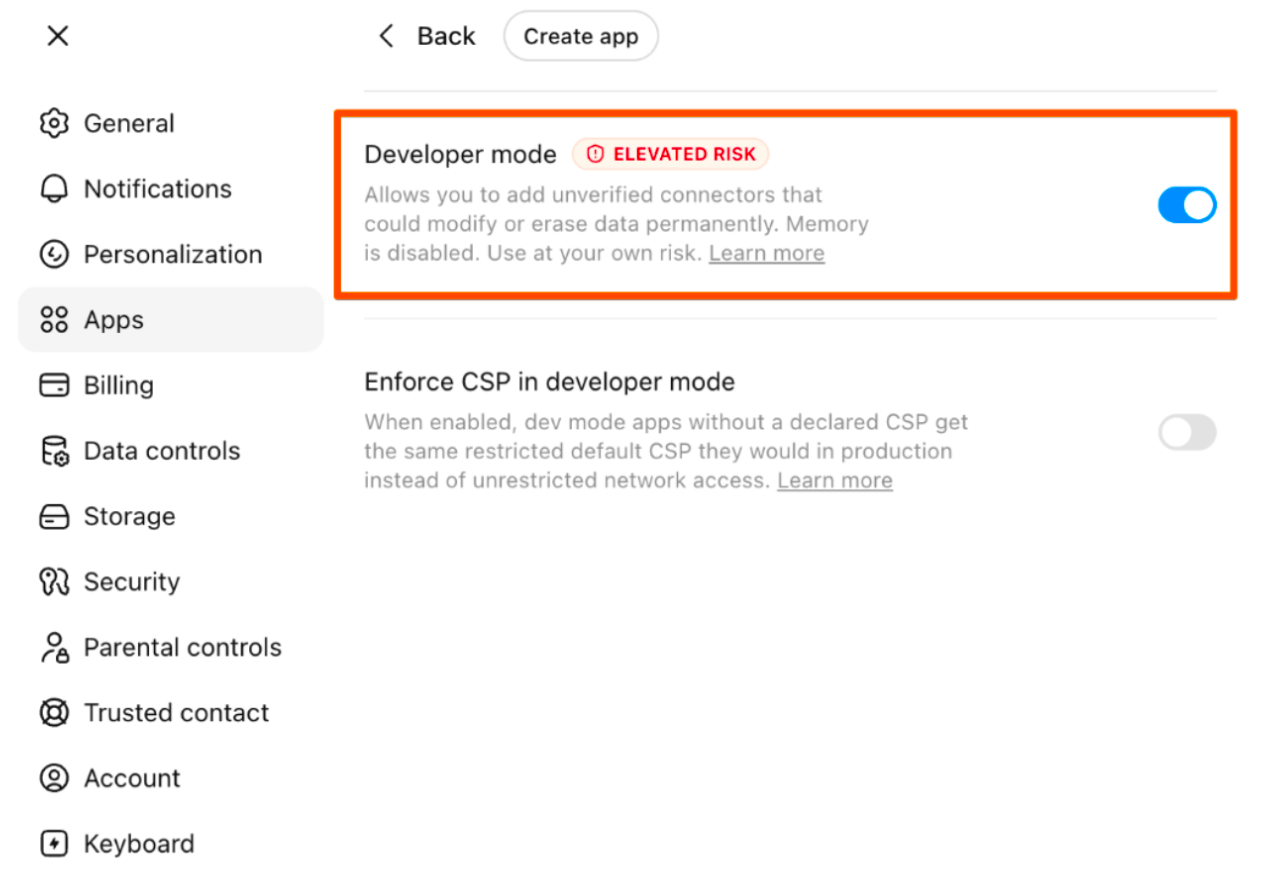
Go back to Apps. A Create button will appear. Click it.
→ Step 4
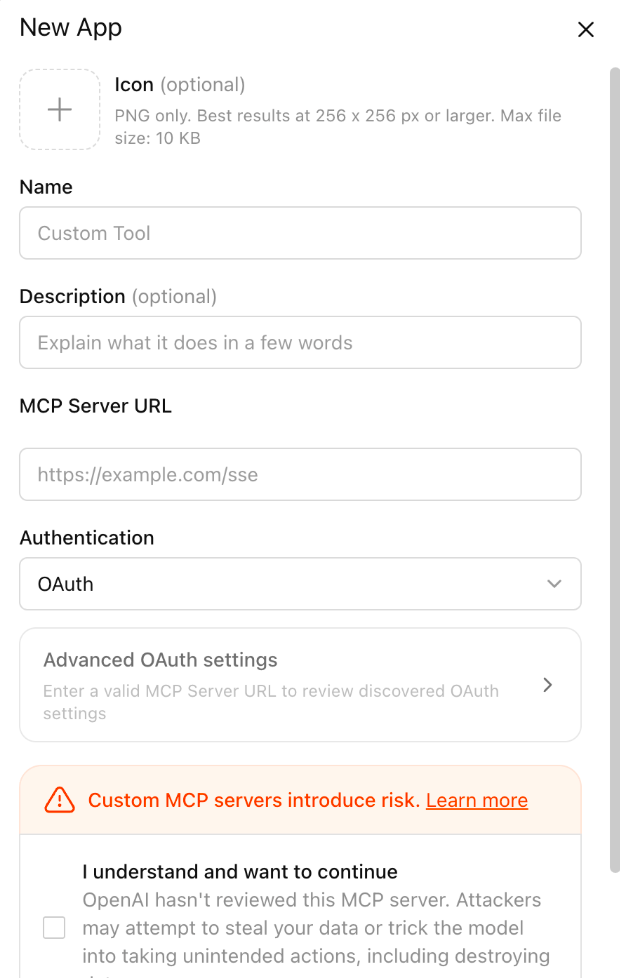
Paste the connector URL:
https://mcp.campaignswell.com
Confirm: I understand and want to continue.
→ Step 5
Authorize in Campaignswell and click Approve.
→ Step 6

Ready to use in any new chat. Make sure it’s connected to your chat (+ button) before using a prompt.
Example prompts
Campaign overview
- Show me the top 10 campaigns by ROAS for the last week
- Give me the worst campaigns from yesterday's cohort I should pause
- Snapshot of current performance across all marketing campaigns
By specific app
- Top campaigns by yesterday's cohort for app [name]
- Compare iOS vs Android performance over the last month
- Show campaigns with highest CPM for app [name]
Forecasts and LTV
- What's the 1-year pLTV for Facebook campaigns?
- Forecast pROAS at 6 months for top 5 campaigns
- Which campaigns show ARPU growth between d0 and d7?
- Forecast end-of-quarter ROAS based on the current campaign mix and highlight risks
- If I increase spend on the top 5 campaigns by 30%, how does pROAS 6m change?
- Forecast pLTV 1y for this week's new campaigns and compare with last month
Analytics and insights
- Why did campaign [name] drop this week?
- Which traffic sources have the best Subscribe → Payer conversion?
- Show campaigns where Install → Payer is above 5%
Visualizations and charts
- Build a chart of pROAS by week for the last quarter for the top 5 Facebook campaigns
- Plot ARPU d0 → d7 comparison between iOS and Android over the last month
- Show a chart of Install → Payer % distribution by traffic source for the last 30 days
- Visualize Subscribe → Payer 7d dynamics by week, broken down by app
- Build a heatmap of CPM × ROAS across campaigns for the last week
Multi-step analysis
- Find the top 5 campaigns by pLTV 1y, break each down by country and source, and highlight where CPM is above average
- Compare last week vs this week across all active campaigns, flag those where ROAS dropped more than 20%, and suggest possible reasons
- Which campaigns have strong ARPU d0 but weak ARPU d7 — and what do they have in common in audience, source, creative?
- Run a cohort analysis for the last 4 weeks, find cohorts with the best pROAS 6m, and tell me what they have in common
Comparisons and benchmarks
- Compare Facebook vs TikTok performance over the last month by ROAS, CPM, Install → Payer, and tell me where to reallocate budget
- Show how Margin shifts from d0 to d28 for campaigns with intro offer vs without
- For app [name], compare organic vs paid by pLTV 3m and Subscriber → Payer
Recommendations
- Give me top 3 recommendations on which campaigns to scale next week, backed by numbers
- Find campaigns where I can increase budget without hurting ROAS, and estimate how much room there is
- Show campaigns on the edge of profitability and suggest — scale, optimize or pause
Good to know
Context is picked up automatically. No need to write «use MCP» in a new chat — the model figures it out as soon as you ask for data.
If you have multiple organizations. If you have one organization in Campaignswell, you don't need to specify it. With multiple orgs, Claude / ChatGPT will show a selector and ask which one to use. You can also include it in the prompt: for [organization name].
Prompts are flexible. The examples above aren't a closed list. Filter by any field, combine metrics, ask for root-cause analysis. If something doesn't work or the result looks off, let us know!
If you hit an error or strange behavior - send us a screenshot and the prompt, that helps us debug faster.